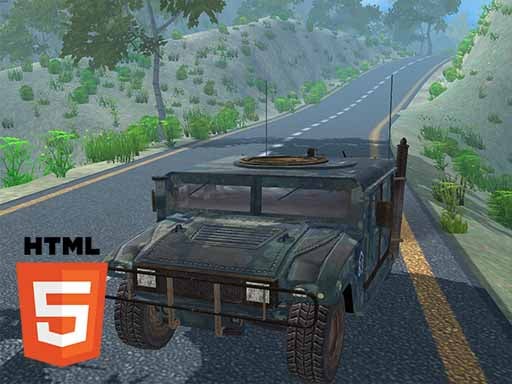
Hummer Jeep Driving Sim
Popular Games
Last Played
In today's fast-paced digital world, gamers don't always have the time or storage space to download massive 50GB game files. Thanks to rapid advancements in HTML5 and WebGL technologies, high-quality browser gaming has made a massive comeback. You can now experience smooth 3D graphics, responsive controls, and engaging storylines directly within Google Chrome, Safari, or Microsoft Edge.
Browser-based driving games have evolved far beyond simple 2D tracks. Modern WebGL titles offer realistic vehicle physics, custom vehicle upgrades, and challenging circuit tracks that push your reaction times to the limit without dropping frame rates.
Whether dodging incoming waves of opponents or navigating tactical battle arenas, action games provide instant adrenaline rushes. The best part is that you can jump straight into a quick 5-minute match during a study break or work pause.
If you prefer a slower, more analytical pace, browser puzzle games are unmatched. From spatial matching to physics teasers, these games keep your mind sharp and active.
Playing games directly in your web browser is incredibly convenient, but occasional lag spikes, frame stuttering, or slow load times can ruin an intense gameplay session. Fortunately, a few simple browser tweaks can dramatically enhance your gaming performance.
Hardware acceleration allows your browser to offload graphic rendering tasks directly to your dedicated graphics card (GPU) instead of overloading your CPU. In Chrome or Edge, head to Settings > System and ensure "Use hardware acceleration when available" is toggled ON.
Modern web applications consume considerable RAM in the background. Before diving into an intensive WebGL or 3D browser game, close heavy tabs such as video streaming platforms or social media feeds to free up memory.
Browser developers frequently release optimizations for JavaScript V8 engines and WebGL shader pipelines. Running the latest version of your browser guarantees maximum security and peak rendering performance.
Anyone who browsed the internet in the early 2000s fondly remembers the golden era of Flash games. Portals provided countless hours of school-computer entertainment. When Adobe Flash officially retired, many gamers feared browser gaming was dead. Instead, it underwent a revolutionary rebirth.
Unlike Flash, which required third-party plugins notorious for security vulnerabilities, HTML5 runs natively inside the web standards architecture. Combined with WebGL (Web Graphics Library), browsers can now render complex 3D environments with near-native desktop speed.
The greatest advantage of modern web gaming is device flexibility. An HTML5 game runs identically on a Windows desktop, a MacBook, an iPad, or an Android smartphone. At List-Apps.com, we are proud to offer a curated catalog of these free titles for everyone.